
Kit datasheets
The latest solar kit data sheets for detailed product specifications and technical information on your Perlight PowerPlug kit.
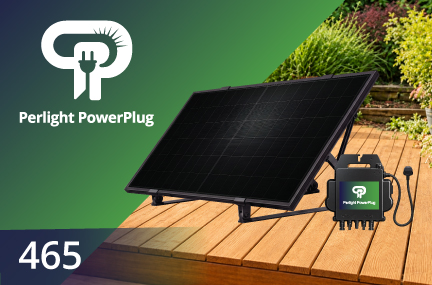
Perlight PowerPlug
465 Datasheet
PLM-PPM-SPE-465
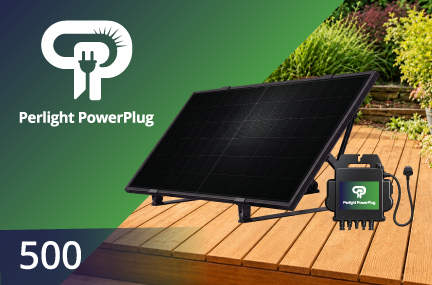
Perlight PowerPlug
500 Datasheet
PLM-PPM-SPE-500
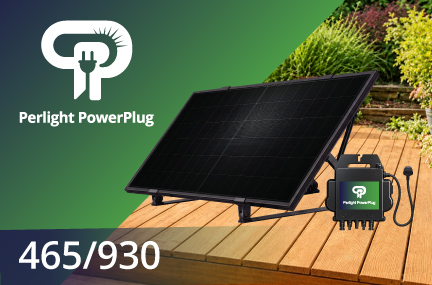
Perlight PowerPlug MAX
465/930 Datasheet
PLM-PPM-M-465-930
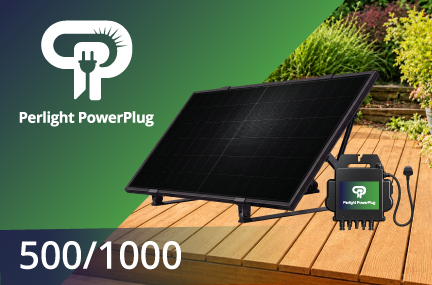
Perlight PowerPlug MAX
500/1000 Datasheet
PLM-PPM-M-500-1000
Product Information
Access all the essential information and resources you need to get the most from your PowerPlug kit.
Warranty Documentation
Understand the coverage and terms for your solar kit.
AP EasyPower Manual
For seamless setup, monitoring, and system management.
DNO Registration

Frequently Asked Questions
Understanding PowerPlug
What is PowerPlug?
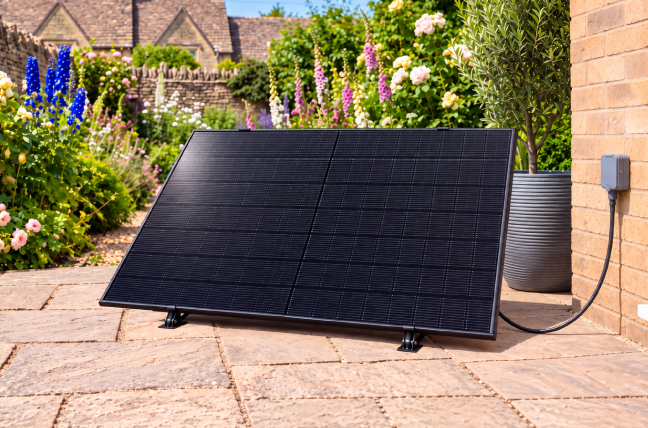
PowerPlug is a compact home solar kit featuring Perlight solar panels, an AP systems microinverter, connecting cables and a mounting system.
It converts daylight into electricity for use in your home, helping to reduce reliance on grid electricity.
The panels generate direct current (DC) electricity, which the microinverter converts into alternating current (AC) for use in your home.
Your appliances continue to work as normal, using the solar electricity generated by PowerPlug first. When solar generation isn’t enough, the grid supplies the difference. If more electricity is generated than your home needs, the surplus can flow back to the network.
Learn more: How plug-in solar works
How is PowerPlug different from a conventional rooftop solar system?
The most suitable option depends on available space, budget and how much electricity you want to generate.
Can PowerPlug supply all my home’s electricity?
No. PowerPlug is designed to contribute to your electricity needs while your home remains connected to the grid.
For example, if your home is using 600W and the kit is producing 250W, the grid supplies the remaining 350W. Higher-power appliances can still run normally, but PowerPlug may only cover part of their electricity consumption.
Is plug-in solar legal in the UK and how can I ensure compliance?
Compliant plug-in solar devices have been permitted in Great Britain (England, Scotland and Wales) since 27 August 2026, subject to applicable requirements.
Government announcement
Northern Ireland has separate connection rules, so the Great Britain route does not apply.
Northern Ireland position
To ensure compliance, Check the exact model and configuration in the Plug-in Solar category of the ENA Connect Direct register.
An inverter certificate alone does not confirm compliance for the complete kit. Check the product reference and use the specified components.
What is included
What comes with a PowerPlug kit?
Each kit includes:
- One or two Perlight 465W or 500W panels
- The specified APsystems microinverter
- A 4m UK mains connection cable
- 2m DC connecting cables.
- The mounting package for the selected model
Check the individual product listing for exact quantities, accessories and any fixings or ballast required separately.
How much space will I need?
A 465W panel measures approximately 1,762 × 1,134 × 30mm, while a 500W panel measures approximately 1,908 × 1,134 × 30mm.
The overall footprint depends on the mounting angle and arrangement. Allow additional space for the frame, any required ballast, cable routing and access. Use the installation drawing for your model when measuring the available space.
How heavy are the panels?
Each 465W panel weighs approximately 23.7kg, while each 500W panel weighs approximately 27.2kg, excluding the mounting system, inverter and ballast.
Plan how the panels will be moved safely before delivery. They are large and awkward to handle, so arrange suitable assistance and follow the handling instructions.
How far can the kit be from the socket?
PowerPlug kits include a 4m mains connection cable. Measure the actual cable route, allowing for bends and changes in height.
The supplied 2m DC cables connect the panels to the inverter; they do not extend the mains cable. Position the system so the mains cable reaches the socket without strain.
Why do complete solar kits cost more than some advertised headlines prices?
Compare everything included in the purchase, including the panels, inverter, mounting equipment, cables, warranty and support.
Also check VAT, delivery and any additional installation costs. A panel or inverter price alone is not directly comparable with the price of a complete kit.
Checking your home and installation location
Is my home suitable for PowerPlug
Choose a suitable sunny location with enough space for the complete installation and an appropriate socket within cable reach.
The mounting surface, electrical circuit and installation must meet the requirements of your chosen kit. Resolve any uncertainties before ordering.
Where should I position the panels?
An unshaded, south-facing position generally produces the most electricity over the year. East- or west-facing positions can also work.
Consider shadows from buildings, fences and trees throughout the day. The best available sunlight still needs to be balanced with safe mounting and cable access.
Can I install PowerPlug on a balcony, wall or in a garden?
The range includes All-in-One and balcony/facade mounting packages. Use only the mounting locations and fixing arrangements specified for your exact kit.
A mounting option does not confirm that your building is suitable. Height, wind exposure, structural condition and fire safety requirements may restrict where a system can be installed.
Are there buildings or surfaces where installation is restricted?
Yes. The current specification prohibits installation on timber balconies and specified cladding systems, including timber, ACM, MCM and HPL cladding. It also prohibits installation on buildings subject to relevant external-wall or building-safety remediation works.
If the construction is unclear, consult the building’s responsible person before proceeding.
Can I use PowerPlug if I rent or own a leasehold flat?
Potentially. Obtain any necessary landlord, freeholder or building-management consent before installation.
Check restrictions on external alterations, shared areas and fixing equipment to the building. Owning your flat does not necessarily give you permission to alter its exterior.
Will I need planning permission?
Requirements depend on your location, property and installation. Check with your local planning authority, particularly for listed buildings, conservation areas or unusual mounting arrangements.
Planning permission, building requirements and the property owner’s consent are separate considerations.
Government guidance on permissions
Should I tell my home insurer?
Check with your insurer before installing. Ask whether the equipment is covered and whether installation affects your policy.
It is useful to clarify cover for accidental damage, theft and equipment outside the building.
Choosing the correct PowerPlug kit
What is the difference between the PowerPlug models?
The PowerPlug range offers different panel capacities, microinverters and mounting options to suit different installation requirements.
| Model | Solar panels | Total panel rating | Microinverter class | Mounting package |
| PowerPlug 465 | 1 × 465W | 465W | 500VA, single input | All-in-One |
| PowerPlug MAX 465 | 1 × 465W | 465W | 800VA, dual input | All-in-One |
| PowerPlug MAX 930 | 2 × 465W | 930W | 800VA, dual input | All-in-One |
| PowerPlug Flex 465 | 1 × 465W | 465W | 500VA, single input | Balcony/facade |
| PowerPlug Flex+ 465 | 1 × 465W | 465W | 800VA, dual input | Balcony/facade |
| PowerPlug Flex+ 930 | 2 × 465W | 930W | 800VA, dual input | Balcony/facade |
| PowerPlug 500 | 1 × 465W | 500W | 500VA, single input | All-in-One |
| PowerPlug MAX 500 | 1 × 500W | 500W | 800VA, dual input | All-in-One |
| PowerPlug MAX 1000 | 2 × 500W | 1000W | 800VA, dual input | All-in-One |
| PowerPlug Flex 500 | 1 × 500W | 500W | 500VA, single input | Balcony/facade |
| PowerPlug Flex+ 500 | 1 × 500W | 500W | 800VA, dual input | Balcony/facade |
| PowerPlug Flex+ 1000 | 2 × 500W | 1000W | 800VA, dual input | Balcony/facade |
Choose according to your space, mounting location and daytime electricity use. Availability and permitted installation arrangements depend on the exact kit.
Connecting and registering PowerPlug
Can I install the kit myself?
Compliant plug-in solar kits are intended for consumer installation where the site and electrics are suitable.
Use an electrician for electrical alterations or uncertain wiring, and appropriate professional help for difficult mounting or access.
Government installation framework
Can I use any household socket?
No. Use a suitable socket on a permitted socket circuit, with the required electrical protection. It must not be on a circuit supplying lighting or fixed equipment such as a cooker or boiler.
Have an electrician assess doubtful or older installations. Outdoor sockets must be weatherproof.
Can I use an extension lead, adaptor or smart plug?
No. Connect directly using the supplied mains plug. Do not insert an extension lead, multiway adaptor, travel adaptor, plug-in RCD adaptor or smart plug between the kit and socket.
If the cable cannot reach, choose another permitted location or have a suitable socket installed.
Do I need to register the system?
Yes. Register your installation through the UK Plug-In Solar Registration service and retain confirmation.
This notifies the distribution network operator—the organisation responsible for the local electricity network. It is separate from arranging an export tariff.
Registration guidance
Register your kit
Can I connect more than one PowerPlug kit?
Current guidance allows one plug-in solar device per property. A two-panel PowerPlug kit is one device; two separately connected kits are two devices.
Can I add a second panel or change components later?
Do not assume that an unused inverter input means an upgrade is permitted.
Any expansion or replacement must preserve the exact compliant configuration. Contact us with your kit reference before buying additional panels, changing the mounting system or substituting electrical parts.
Can I use PowerPlug alongside existing rooftop solar?
Ask your original installer or a qualified electrician to assess the combined installation first. Additional generation may change the network connection requirements.
If your home also has battery storage, obtain specific advice about compatibility before connecting PowerPlug.
Learn more: Existing-system guidance
Can I add a battery to PowerPlug?
The current plug-in solar route excludes battery-integrated kits and plug-in batteries. Do not add storage to PowerPlug or treat it as a battery charging system.
Do I need a smart meter or a different energy supplier?
You do not need to change supplier simply to use solar electricity at home.
Check meter compatibility with your supplier. Receiving payment for exports requires a suitable metering arrangement and acceptance onto an export tariff; installing a kit does not automatically set this up.
Generation, savings and monitoring
Does PowerPlug work in cloudy weather and winter?
Yes. Solar panels can generate from daylight when the sky is overcast, although output is lower than in strong sunlight.
Shorter days and lower winter sun generally mean less generation than in summer. Panels do not generate solar electricity at night.
Will it produce its rated power all day?
No. Output changes with sunlight, temperature, shading and panel position.
A panel rating describes performance under test conditions. The inverter rating sets its output ceiling. Neither figure means the system will continuously deliver that amount of power.
How much could I save?
Your savings depend on generation, how much you use as it is produced, and your electricity tariff.
For illustration, using 300kWh of solar electricity at home instead of buying it at 25p/kWh saves £75. This is a calculation example, not a PowerPlug generation forecast.
How long will the kit take to pay for itself?
Divide your total upfront cost by your estimated annual benefit.
For example, a £600 total cost and £100 annual benefit gives a simple payback of six years. Include delivery, any electrical work and mounting extras in the cost. Actual results change with usage, tariffs, weather and future maintenance.
How can I make the most of the electricity generated?
Where practical, use electricity during daylight hours. For example, charging devices or running appliances while you are at home.
The aim is to replace electricity you would otherwise buy. Increasing consumption just to use solar generation does not necessarily save money.
What happens to electricity I do not use?
Any surplus can flow to the grid. It is not stored in a standard PowerPlug kit for use later.
Export payments are not automatic. Ask a supplier whether it accepts your particular installation and what evidence and metering it requires before including export income in your savings estimate.
How can I see how much electricity PowerPlug generates?
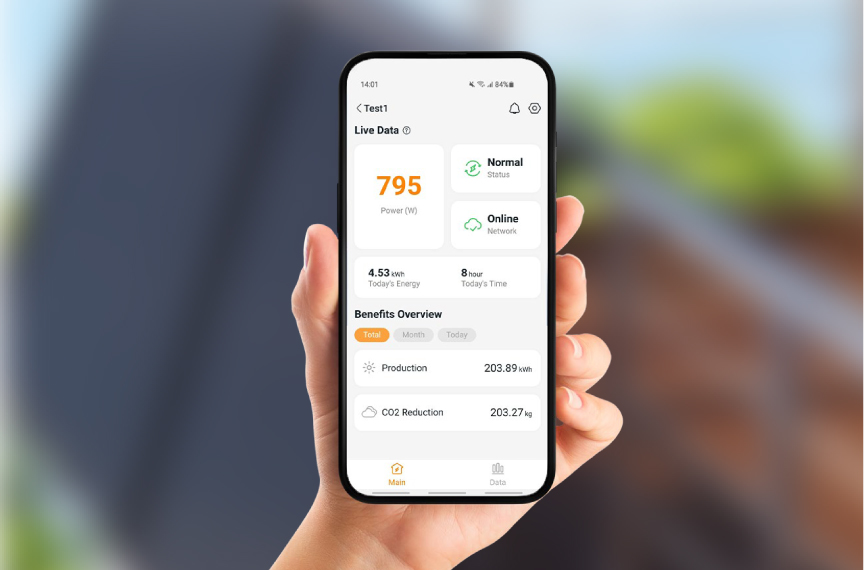
PowerPlug uses APsystems microinverters with app-based monitoring. Follow your model’s instructions to connect to the APsystems EasyPower app.
Generation is different from savings: the app’s production figure may include electricity exported as well as electricity used at home.
Does the kit need Wi-Fi to generate electricity?
Wi-Fi is used for monitoring. Losing the internet connection does not, by itself, stop energy generation but will affect the monitoring app.
What does “bifacial” mean?
The Perlight panels can generate electricity from light reaching their front and rear surfaces.
Any rear-side contribution depends on reflected light and the installation arrangement. It is not a fixed extra percentage, and positioning must remain within the mounting instructions.
Will PowerPlug work during a power cut?
No. Its grid-connected inverter stops supplying electricity when the mains fails. This protection is known as anti-islanding.
PowerPlug does not provide emergency backup power.
Safety, care and troubleshooting
What makes a plug-in solar kit safe?
Safety depends on both the product and its installation.
Use the complete compliant kit, follow its instructions and ensure the socket, circuit and mounting location are suitable. Built-in protection does not make damaged equipment or an unsuitable installation safe.
Can PowerPlug stay outside in bad weather?
PowerPlug kits are designed to be outside but if the plug is connected to an outdoor socket outlet, it must be waterproof. Use it within the weather and exposure limits for the complete kit. Secure the mounting exactly as instructed, including any required ballast.
After severe weather, check for movement or damage. Do not try to reposition panels during strong winds.
What maintenance and cleaning are required?
Follow the manual’s inspection and cleaning schedule. Check accessible cables, connectors and mounting parts for damage or movement.
Avoid abrasive cleaners and pressure washers.
Can I stand on the panels?
No. Keep body weight and heavy objects off the glass. Damage may occur even when no crack is visible.
What should I do if something is damaged or the system trips?
Stop using it. Follow the shutdown instructions only if safe, and contact support. Do not repeatedly reset a tripping circuit or attempt electrical repairs.
For smoke, fire or immediate danger, move away and call 999.
Why might the app show little or no generation?
Check whether it is dark, heavily overcast or shaded, and whether the app is displaying current data by swiping down to refresh it.
If the reading seems inconsistent with conditions, consult the troubleshooting guide. Send support the model reference, any error message and a screenshot. Do not open the inverter or disturb electrical connections to investigate.
Delivery, warranty and support
How will my PowerPlug kit be delivered?
Delivery arrangements, charges and estimated times depend on the seller and destination. Check these before ordering.
Tell the seller about restricted access, stairs or unloading limitations. Arrange a safe place to receive the panels and suitable help to move them.
What if my delivery is damaged or incomplete?
Photograph the packaging and affected items, keep the labels and contact the seller promptly with your order number.
Do not install damaged equipment. Retain the packaging while the seller confirms how the issue will be resolved.
What warranty comes with PowerPlug?
Check the warranty documents for your chosen kit. Panel product cover, panel performance guarantees, inverter cover and mounting cover may have different terms and durations.
A panel performance guarantee concerns output over time; it is not automatically a warranty for the complete system. Keep your receipt, serial numbers and warranty documents.
Can I cancel or return my order?
Contact the seller that accepted your order. Its published policy explains the cancellation and returns process, alongside your statutory rights.
Because panels need careful transport, obtain return instructions before arranging collection or sending equipment back.
Can I take PowerPlug with me when I move?
Potentially, provided the equipment can be safely removed and the new property is suitable.
Follow the removal and reinstallation instructions, obtain any necessary permissions and complete the required network deregistration and registration steps.
Moving and registration requirements
How should I recycle the equipment?
Solar panels and electrical components require appropriate recycling. Contact us for disposal guidance rather than putting them in household rubbish.
Keep the equipment intact for collection; do not dismantle panels or inverters yourself.
How do I contact PowerPlug support?
Contact Westech Solar (UK) Limited:
- Email: sales@westech-solar.co.uk
- Telephone: +44 (0)1865 682 584
For product help, include your PowerPlug model, serial number, purchase details and a brief description of the issue. Photographs or app screenshots can help us understand the problem.
For delivery, cancellation or refund enquiries, contact the seller you purchased from.
Guidance reviewed: 15 September 2026. Always follow the instructions for your exact PowerPlug kit and the requirements that apply at your installation address.